Have you ever built an app that runs perfectly on your laptop, but crashes the moment your teammate tries to open it?
If you have, you have experienced the legendary “It works on my machine!” problem.
Let’s look at a quick story. Meet Alex, a software developer. Alex spends weeks writing code for a new web app. On Alex’s laptop, the app runs flawlessly because Alex has specific versions of Python, a specific database, and exact system settings installed. But when Alex sends the app to Bob for testing, it instantly breaks. Bob’s computer has a different operating system and different software versions.
To fix this, Alex has to spend hours helping Bob install the exact same setup. Now imagine doing this for a hundred servers. It’s a nightmare.
This is exactly why we need Docker.
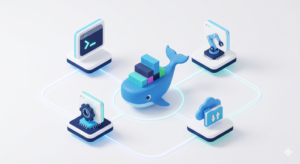
What is Containerization?
Think about the global shipping industry. A hundred years ago, loading a ship meant tossing bags of coffee, barrels of oil, and boxes of shoes into the cargo hold. Unloading was chaotic and slow. Then, they invented the standard shipping container. Suddenly, everything was packed into uniform steel boxes that fit perfectly on any truck, train, or ship worldwide.
Containerization in software does the exact same thing. It takes your code and packs it tightly into a standard digital box (a container) along with everything it needs to run: libraries, tools, and settings.
What is Docker?
Docker is simply the platform that makes creating, managing, and shipping these software containers incredibly easy. Because the container holds exactly what the app needs, Docker guarantees that if the app runs on your laptop, it will run exactly the same way on your teammate’s computer or on a live cloud server.
The Core Components of Docker Explained
To understand how Docker does its magic, let’s look at its four main moving parts:
-
1. Docker Client (The Steering Wheel) This is how you, the human, communicate with Docker. When you open your terminal and type a command like
docker runordocker build, you are using the Client. It takes your instructions and sends them to the “brain” to be executed. -
2. Docker Daemon (The Mechanic) The Daemon (
dockerd) is the background worker. It listens to the requests sent by the Docker Client and does the actual heavy lifting: it builds the containers, starts them, stops them, and manages your system’s resources. -
3. Docker Engine (The Whole Car) The Docker Engine isn’t just one thing it’s the complete package. It is the combination of the Docker Client, the Docker Daemon, and the API that allows them to talk to each other. When you install “Docker” on your computer, you are installing the Docker Engine.
-
4. Docker Registry (The Library) Think of how you use GitHub. You write code locally, and when you are ready to share it, you push it up to a GitHub repository so others can download it. A Docker Registry does the exact same thing, but for containers. The most popular one is Docker Hub. Once you build a Docker image, you upload it to the Registry so your team or your production servers can pull it down and run it anywhere.
By using Docker, you never have to worry about the “it works on my machine” problem again. You just build your container, ship it to the registry, and run it anywhere.